Share
20th May, 2026
Share
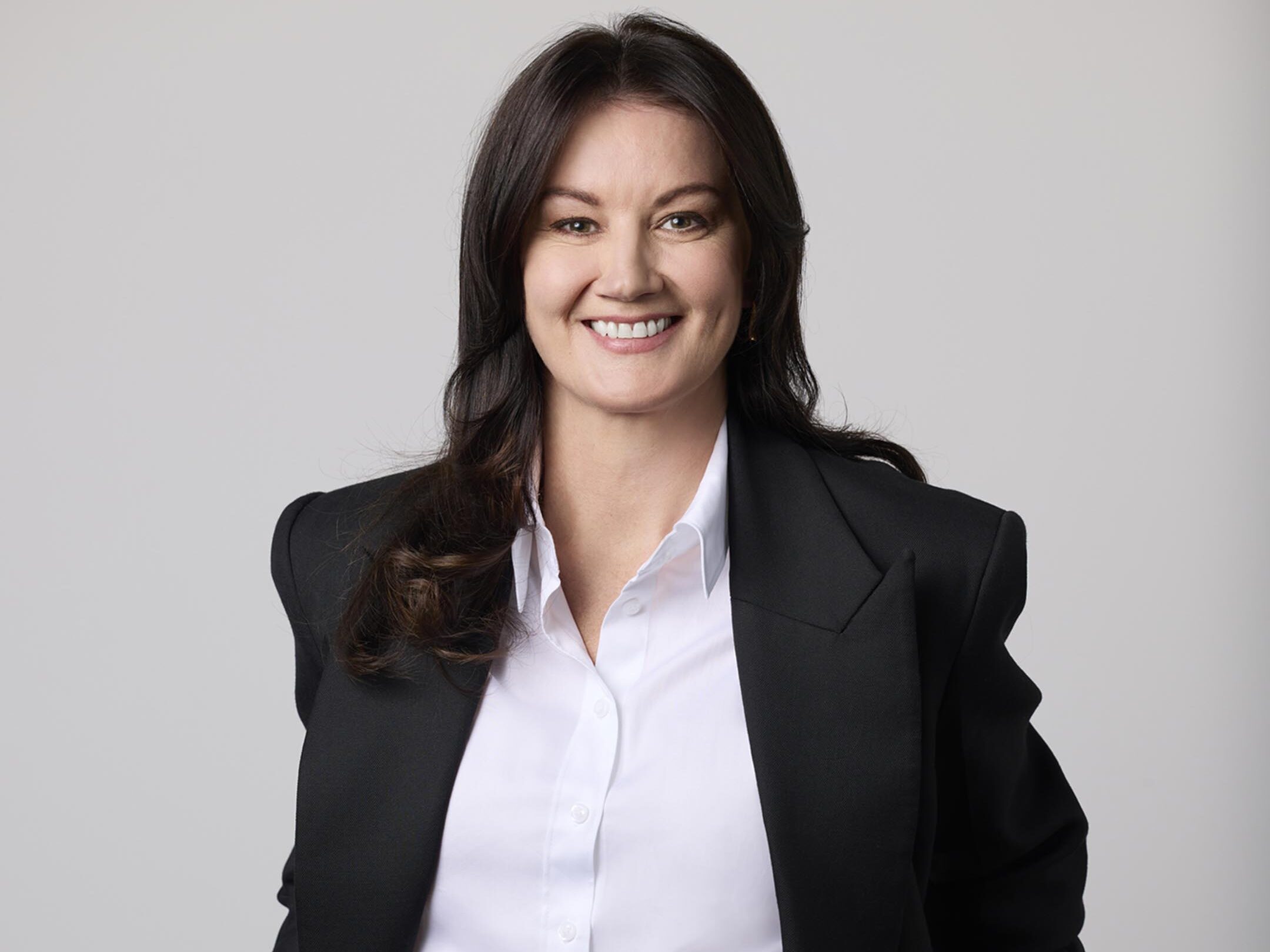
Great portrait photography and headshot photography don’t stop when the shutter clicks. While lighting, composition, and expression are critical at the capture stage, professional editing and post-production are what elevate images from good to truly polished.
For businesses, professionals, and personal brands, post-production ensures portraits look consistent, confident, and authentic—without appearing over-edited. Thoughtful editing enhances natural features, removes distractions, and creates imagery that feels professional and trustworthy.
In this guide, we’ll break down the professional editing workflow used in portrait photography and headshot photography. First, we’ll explore how Capture One is used for colour balance, contrast, and foundational skin tone corrections. Then, we’ll look at how Photoshop is used for more advanced retouching, including object removal, clothing cleanup, and detailed skin refinement.
Stage One: Capture One Editing for Portrait Photography and Headshot Photography
Professional portrait photography and headshot photography editing always starts with a strong foundation. Capture One is a preferred tool for many professional photographers because of its superior colour control, excellent raw processing, and advanced skin tone tools.
At this stage, the goal is not heavy retouching. Instead, it’s about creating a clean, balanced, and natural base image that accurately represents the subject.
Colour Balance and Accurate Skin Tones
Colour balance plays a critical role in portrait photography and headshot photography. Skin tones must look natural across different lighting environments, whether the image is viewed on a website, LinkedIn profile, or printed material.
Using Capture One, editors carefully adjust white balance to remove unwanted colour casts caused by studio lighting, mixed light sources, or reflective surfaces. This ensures skin tones don’t appear too yellow, green, or overly cool.
Rather than relying on generic presets, each image is adjusted individually. This approach delivers consistent, realistic results across an entire portrait session, which is especially important for corporate headshot photography and brand image libraries.
Contrast and Tonal Control
Once colour balance is set, contrast and tonal adjustments help shape the image. In portrait photography, contrast should enhance facial structure without exaggerating texture or shadows.
Capture One allows precise control over highlights, midtones, and shadows. Editors gently refine these areas to maintain detail in both bright and dark regions of the image. This is particularly important for headshot photography, where facial clarity and professionalism are key.
Well-managed contrast also improves image versatility, ensuring portraits look great across digital platforms and print formats.
Basic Skin Tone Corrections
One of Capture One’s most powerful features for portrait photography and headshot photography is its skin tone editor. This tool allows editors to subtly adjust hue, saturation, and brightness specifically within skin colour ranges.
At this stage, skin corrections remain light and natural. Minor redness, uneven tones, or blotchiness caused by lighting are softened, while natural texture, freckles, and expression lines are preserved.
By the end of the Capture One stage, the image looks clean, balanced, and professional—ready for more detailed retouching if required.
Stage Two: Advanced Portrait and Headshot Retouching in Photoshop
Once the base edit is complete, selected images move into Photoshop for advanced retouching. This stage is where portrait photography and headshot photography are refined to a polished, client-ready standard.
Photoshop is used carefully and selectively. The aim is enhancement, not transformation.
Object Removal and Distraction Cleanup
Even the most carefully planned portrait photography sessions can include small distractions. These might include stray hairs, dust on clothing, background blemishes, or minor imperfections in the environment.
Photoshop allows these distractions to be removed cleanly and seamlessly. Editors use non-destructive techniques to ensure the image remains natural, with no visible signs of editing.
Removing distractions helps keep the viewer’s focus on the subject, which is essential in professional headshot photography where clarity and confidence matter.
Clothing Cleanup and Crease Removal
Wardrobe plays a major role in portrait photography and headshot photography, particularly for corporate and personal branding imagery. However, clothing doesn’t always sit perfectly under studio lights.
Photoshop makes it possible to reduce visible creases, smooth fabric inconsistencies, and remove lint or dust. The key is subtlety—maintaining natural fabric texture while improving the overall presentation.
This is also where accidental mishaps can be fixed. Coffee stains from breakfast, makeup marks, or marks picked up during travel to the shoot can all be professionally removed, saving the need for reshoots.
Advanced Skin Retouching Without Over-Editing
Skin retouching is often misunderstood in portrait photography. Professional retouching is not about removing pores or making skin look artificial.
Using advanced Photoshop techniques such as dodge and burn or frequency separation, editors refine skin tone and texture while preserving detail. Temporary blemishes, under-eye shadows, and uneven areas can be softened, while permanent features such as freckles and expression lines remain.
The result is skin that looks natural, healthy, and believable—helping subjects look confident without losing their identity.
Final Image Polish and Consistency
Before final delivery, images go through a final review process. Colour consistency across the full set is checked, small refinements are made, and edges are cleaned up where necessary.
This final polish ensures portrait photography and headshot photography images work together as a cohesive set. Whether the images are used for websites, annual reports, LinkedIn profiles, or marketing campaigns, consistency strengthens brand credibility.
Why Professional Post-Production Matters in Portrait Photography
Professional editing is an essential part of high-quality portrait photography and headshot photography. It ensures images are polished, distraction-free, and aligned with their intended purpose.
Professional post-production delivers:
Most importantly, professional editing respects the subject. It enhances their appearance without altering who they are.
Frequently Asked Questions About Portrait Photography and Headshot Photography Editing
How much retouching is standard for professional headshot photography?
Most professional headshot photography includes colour correction, contrast adjustment, and light skin retouching. Advanced retouching such as object removal or clothing cleanup is applied selectively based on the image’s use.
Will professional retouching make me look unnatural?
No. High-quality portrait photography editing focuses on subtle enhancement. The goal is to help you look like the best version of yourself, not someone else.
What is the difference between Capture One and Photoshop in portrait photography editing?
Capture One is used for raw processing, colour balance, and base skin tone corrections. Photoshop is used for detailed retouching such as object removal, skin refinement, and clothing cleanup.
Can stains or wrinkles be removed from clothing in headshot photography?
Yes. Photoshop allows editors to remove stains, reduce creases, and clean up clothing while keeping textures natural and realistic.
Is professional post-production worth it for portrait photography?
Absolutely. Professional post-production ensures portrait photography and headshot photography images look polished, consistent, and suitable for professional use across all platforms.